vl .Browse and review
Explore files, search the workspace, and review changes side by side.

Browse code, review diffs, and make quick edits.
InstallVSCode-like terminal workbench with Vim-like keybindings
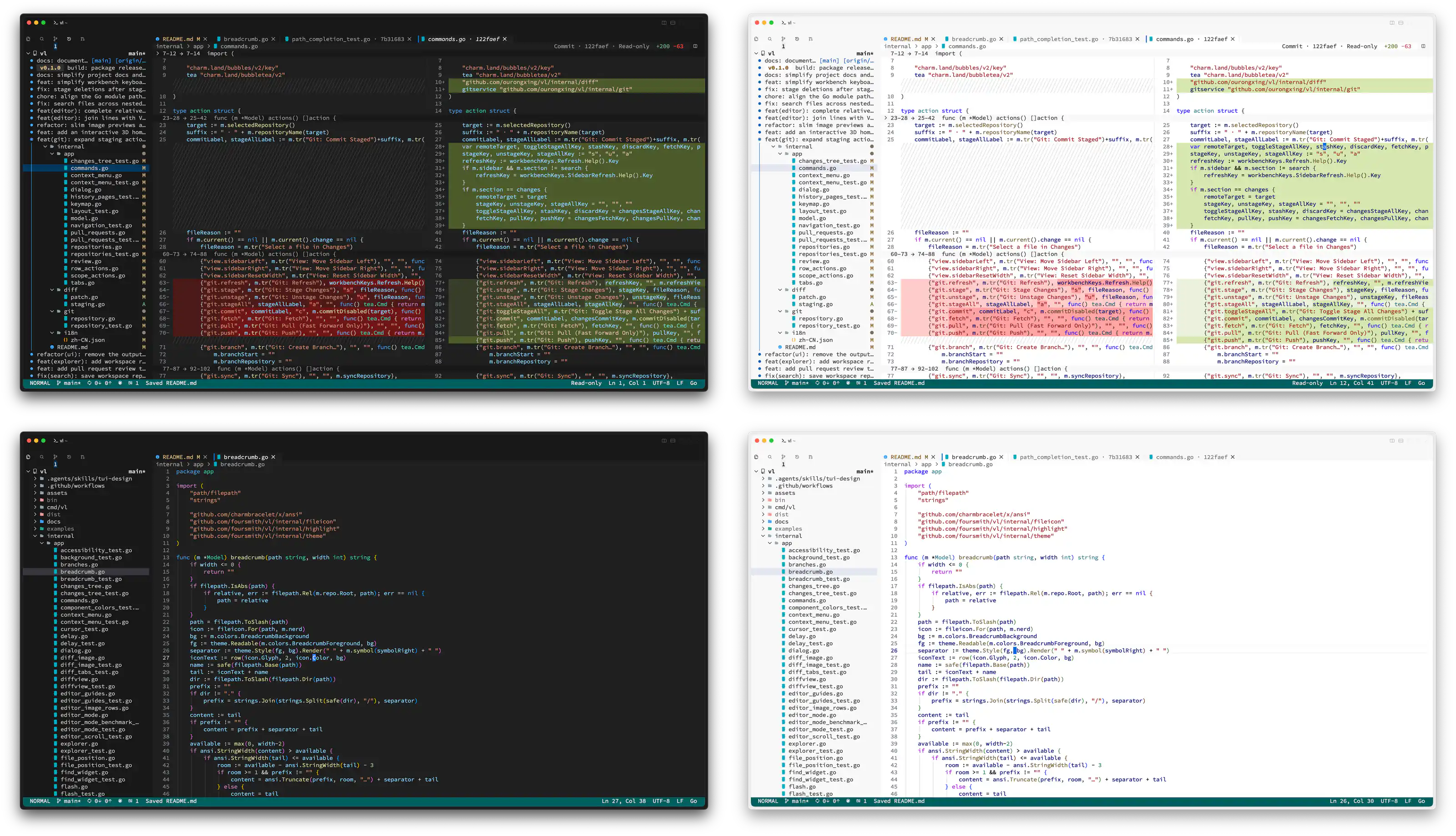
vl .Explore files, search the workspace, and review changes side by side.
vl path/to/fileOpen a file directly for a quick edit with familiar Vim motions.
vl preview path/to/filePrint a syntax-highlighted file straight to the terminal.
Choose your platform. Release binaries are available for x86-64 and ARM64.
If you have Homebrew, run this command. It adds the Foursmith tap and installs vl.
brew install foursmith/tap/vlRun the release installer in your terminal. It detects your architecture and installs vl to ~/.local/bin.
curl -fsSL https://github.com/foursmith/vl/releases/latest/download/install.sh | shIf vl is missing from your PATH, run this in Bash or Zsh. Add the same line to ~/.bashrc or ~/.zshrc to keep it for new sessions.
export PATH="$HOME/.local/bin:$PATH"Run the release installer in your terminal. It detects your architecture and installs vl to ~/.local/bin.
curl -fsSL https://github.com/foursmith/vl/releases/latest/download/install.sh | shIf vl is missing from your PATH, run this in Bash or Zsh. Add the same line to ~/.bashrc or ~/.zshrc to keep it for new sessions.
export PATH="$HOME/.local/bin:$PATH"Open PowerShell and run the command below. The installer places vl.exe in %LOCALAPPDATA%\vl\bin and updates your user PATH.
Invoke-RestMethod -UseBasicParsing https://github.com/foursmith/vl/releases/latest/download/install.ps1 | Invoke-ExpressionYou can run vl in the same PowerShell session. Reopen other terminal windows to pick up the updated PATH.
With Git on your PATH, open a repository in your terminal. Check the installation, then launch vl in the current directory.
vl --version
vl .